Pages

Saturday, August 3, 2013

NEX-3N First Impression

While I am still waiting to have a more in-depth review on Sony's latest camera, RX100II, I can't just let my vacation pass without something new! So I got this new member from Sony's NEX family, NEX-3N!

I've got many friends asking me before, "How do you think about the NEX-3N?" My answer is always neutral: only get it if you need it. To be honest, I wasn't particularly excited about this camera. As compared to my NEX-5N, which is an older model in the NEX 5 series, it has less control, not better image quality (although it is still far better than most point-and-shoot cameras). The advantage of NEX-3N is that it has a flip screen, that makes self-portrait much easier. Apparently, the target market is young ladies with passion about taking self-portraits and also want superior image quality. It is also smaller in size that makes this camera suitable for daily uses.

Below are some unboxing photos of NEX-3N. I am bringing it to Japan for vacation and more photos will be uploaded soon!
  DSC07928

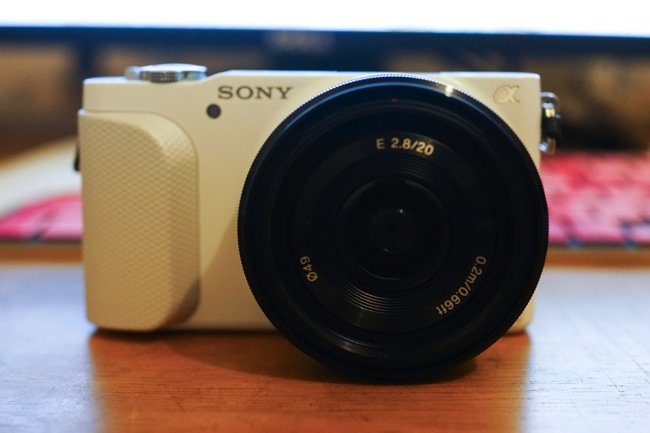
The front view. My unit is a white body made of plastic. The camera comes with lens 20mm F2.8 pancake lens. It suits NEX-3N great in terms of portability.

DSC07929

Top view. The playback button now is place at the top panel, which takes me a little while to adjust to that. The shutter, zoom and power button are integrated together.

DSC07930

The control wheel is similar to those on other NEX bodies.

DSC07931

The built-in flash light that NEX-5N doesn't have! The trade off is that NEX-3N doesn't have hot shoe.. But I believe most NEX-3N users won't need that anyway.

DSC07932

Flipped screen makes self-portraiting fairly easy. However, that's the only way you can flip the screen. It can be flipped in the other direction.

DSC07933

The 20mm F2.8 pancake lens is somewhat similar to the previous 16mm F2.8, a fast and wide prime lens. The 16mm F2.8 has been criticised on its image quality. Let's see how the new 20mm F2.8 performs!
DSC07938

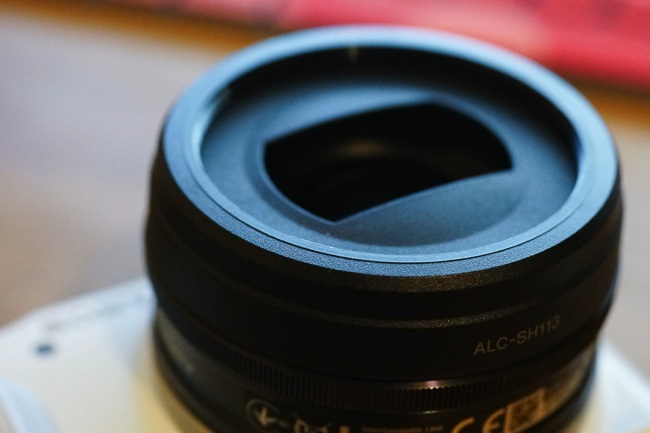
The lens also comes with a lens cap/hood that is used on E30mm 3.5.

DSC07935

The SD card slot is now put together with other output port, different from NEX-5N where battery and card slot are placed next to each other.
DSC07939

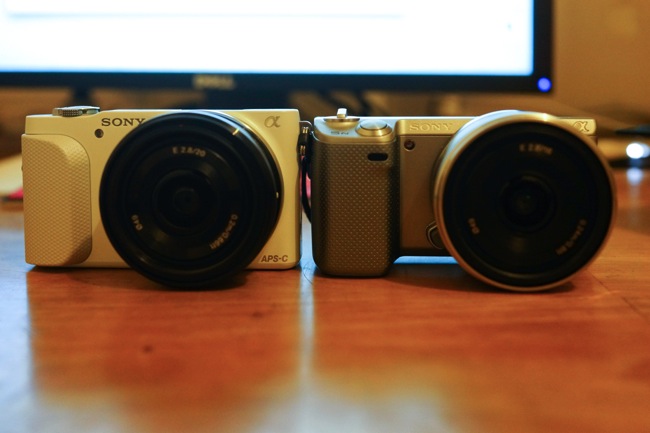
A side-by-side comparison with my Sony NEX-5N. NEX-3N is slightly taller but narrower. The most noticeable difference is the size of the grip. Clearly, NEX-3N's grip is much smaller. I guess that's also because the target group is young ladies?

DSC07940

From the top, the NEX-3N body is thicker than 5N, which offsets the slimmer E20 2.8 lens and makes two cameras almost identical in thickness.

I just landed Tokyo a while ago. Please check the blog regularly for more photos taken by NEX-3N!

Friday, August 2, 2013

Unveiling RX100II in Singapore: Exclusive Preview Session with Sony!
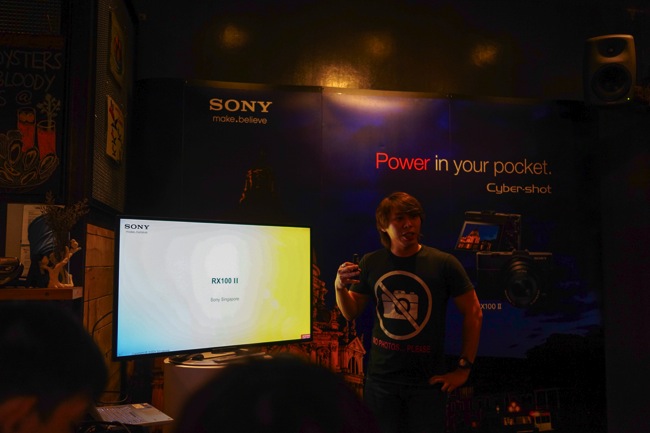
Sony's RX100 has gained a lot of popularity among camera users. It has been enjoyed by both groups: amateurs and professionals.  I believe that's because it is a right combination of the size and the photo quality. And now the camera just gets even better. Its successor RX100II is launched in Singapore. I was invited to the RX100II preview session with Sony tonight. 

It's quite an exclusive session with about 20 guests and a number of Sony staff on the site. The venue is a cosy and nice café called 'Symmetry'.  It is beautifully decorated and RX100II and accessories were on display. 

DSC07894

DSC07893

DSC07917

DSC07916


Introduction of RX100II

The session started with an introduction to the upgraded RX100II. The highlights in the new model include better low light performance, tillable screen, multi-purpose hot shoe and NFC and WiFi connectivity.  

DSC07898

DSC07899


Shooting Session

It was then followed by a hands-on session where we were given test machines to walk around and shoot night scene in one of the streets around the café.

DSC07910

I got one test unit with me and yes it feels great in hand! 

I didn't use RX100 before and had very limited time spent with RX100II. So just a few brief thoughts first:

1. Camera body is well built and solid. It is small but not too small that you can't hold it properly.

2. Camera starts up pretty quickly, within 2 seconds I think

3. The settings can be easily navigated (or maybe because I'm a current user of NEX-5n and RX1?). But I still prefer a physical zoom ring over an electronic one..

4. Glad to see that finally the photo ratio could be 1:1 and 4:3! In NEX-5N there are only 3:2 and 16:9 available :(

5. Blur will still be expected if you shoot photos at telezoom end in a low light condition. 

6. I have not yet tested out the WiFi and NFC sharing features, but I can see that will bring a lot of new use in the daily shooting!

Here are some of shots I took with RX100II.

DSC09996

DSC00002

DSC00004

DSC00009

DSC09998


Food

Besides the shooting session, one of the highlights in tonight's event is food!  So many of them and I didn't get a chance to take pictures for them all. So below are some good delights. :p

DSC07903

DSC07906

DSC07908

DSC07922

DSC07920

According to Sony, RX100II will be in Singapore's stores 'in a few days'. Hopefully I'll get a test unit with more thorough review pretty soon! So stay tuned if you would like to get to know more about this camera! 

Technorati Tags: , , , ,

Sunday, June 23, 2013

Fresh New Look for Flickr!

I complained about Flickr last time when I was writing about 500px. I was not very happy with its old, clumsy UI and not motivated at all to upload new photos. Luckily, Flickr seems to have realized this as well. After a major revamp of the UI and free 1TB storage for everybody, it looks all new again!

Screen Shot 2012 12 12 at 9 31 52 PM

Screen Shot 2013 06 23 at 10 41 55 AM

The before and after screenshots well explained the change. Photos are now nicely displayed by fitting in place rather than piece by piece. It also introduces the concept of cover photo, like many other social websites and a high resolution profile picture. 

Screen Shot 2013 06 23 at 10 49 16 AM

In the Homepage, contacts' activities are more 'photo-oriented', and it's easier to find photos that one will be interested in.

Screen Shot 2013 06 23 at 10 50 55 AM

The Uploadr also seems better tweaked. Now Flickr offers 1TB free storage space and original images to all its users. In the Uploadr it indicates that how much you have used of the 1TB storage. Not sure how the previous paid users feel about this upgrade? However, it is definitely some change that is welcomed by the majority of Flickr community.

I feel more motivated to upload my photos to Flickr after the change. Of course, it still has its shortcomings, for example, I can't change the layout of the photostream. I want to reduce the photo size to display more photos in one screen.  It also only has the option to add photos to favourite but not simply 'like' it, which makes the social feature less interactive. 

Anyway, Flickr has done the right thing. People must feel more encouraged to upload their photos to Flickr now (at least I do). So do check it out if you haven't come back to Flickr for long! 

You can check out my Flickr site here :)

Technorati Tags: , ,

Monday, June 17, 2013

Swim with Your Beats On! Sony Waterproof Walkman NWZ-W273

Swimming is fun, but could sometimes be dull as well. You can't watch your favourite TV show on Youtube, or even just listen to some light music. Luckily technology nowadays has enabled us at least to enjoy some music while taking a dive in the water. This is Sony's latest wearable walkman NWZ-W273. 

DSC07799

This is actually the second generation of this line. The previous generation offers similar design and water-resistant functionality, however, it's only splash proof, meaning that you still can't swim with it. The latest NWZ-W273 just upgraded the storage and more importantly, it offers waterproof up to depth of 2 meters! 

DSC07788

The Walkman itself looks like a sports headphone, but its chip hides inside the module near the ear. Printed on one module is Sony's logo and the other is Walkman's. 

DSC07786

All the controls are at the bottom of two ear pieces. The buttons, however, are a bit lack in feedback so you may find it hard to press. The ear plug snug pretty fit in my ears. It also comes with 4 different sizes of ear plugs so I am sure you will find one that fits you the best. 

DSC07785

The power button is on the side of right ear piece. To switch on the MP3, press it for 3 seconds until the green light is on. The switch beside is a power button lock so that it won't be accidentally put on.

DSC07791 

By slotting the MP3 in the stand, it can be charged or connected to the computer for music transferring. Pretty cool!

DSC07774

This is how it looks like when I wear it.. It's quite comfortable wearing it. By the way, bright pinky actually looks not that bad :p

It has 4GB internal storage and I believe that is sufficient for an MP3 used in workout. The sound quality is not so bad given the fact that it's selling point is about waterproof and wearable sports MP3. It can be easily cleaned with some flowing water from the tap. One thing to notice that is you have to use the best fit ear plug when you swim. It is because that if the ear plug is too loose, the water will come in between the ear and the MP3 and affect the sound reception.

In short, Sony NWZ-W273 is a great MP3 for exercise and one of the few that can actually accompany you when you are in the pool. If you are in the market for getting a sports MP3 or even sports earphones, this Walkman piece is worth the money. Oh, did I mention its retail price is only 129 SGD? Also do share with me if you have any other alternative MP3 for workout / swimming in the comment!

Technorati Tags: , , , , ,

Saturday, June 15, 2013

Adobe Lightroom 5 Official Version! Three New Features That You Must Try

Screen Shot 2013 06 15 at 10 38 02 PM

As mentioned in my previous post, I was excited about the new upgrade of Adobe Lightroom. At that time Lightroom 5 is only a beta version so that it is not compatible with the Lightroom 4 catalog file. Now finally Adobe puts its official release on its website. What's more, anybody with an Adobe account can enjoy up to 30 days free trial! So if you are not so sure whether Lightroom 5 is the right tool for you, always download the trial version to find out more!

Over the upgrade, the greatest concern is that whether it offers faster processing speed that Lightroom 4. Lightroom 4 is REALLY sluggish, much slower than Lightroom 3, regardless of your hardware specification. A couple of my friends tried out the Lightroom 5 and said it's much faster than its predecessor. However, I don't have the same experience as them. I find it marginally faster than before. It could be because that I am running it on MacBook Air that I bought almost three years ago (Core 2 Duo!). So I would assume anybody has a current mainstream computer would enjoy the improvement.

Lightroom 5 offers a bunch of new features. Besides some of the small add-ons like video slide show, location-based organisation. There are three features I think are worth introducing in this post. This will greatly enhance the post-process of your photos.

Radial Gradient

First is the radial gradient. Previous generations of Lightroom only offers linear gradient functions. It has been a great function in editing. The addition of radial gradient makes this even more useful. 

Screen Shot 2013 06 15 at 6 27 27 PM

Changing the saturation to negative, it can make the subject stand out

Screen Shot 2013 06 15 at 6 33 42 PM

Adjusting the exposure to negative, the subject in the centre of the radial filter will be standing out (thought that could be achieved using vignette effect).

Upright

The second feature is Upright. Lightroom 5 will auto-analyse the picture and adjust to the upright perspective. It is extremely useful for landscape and building photos since many times we may not have photo at perfect level or vertically it is not in the same plate.  Below are some examples how this function can help solve the problem

Screen Shot 2013 06 13 at 7 47 17 PM

I took this photo around Chinatown, Singapore and you can see that the photo was taken from lower perspective (I am not tall enough! :( ). After the adjustment, the photo looks like as if it were taken from the same level.

Screen Shot 2013 06 14 at 10 42 37 PM

This was taken in front of the Grand Place in Cambodia, I was trying to capture the flying pigeons so I didn't notice my photo is tilted. After the Upright adjustment, it loos much better. It may seem only some rotation is done, but if you take a closer look, you can see the road line is straightened as well. 

Advanced Healing Brush

The last one is powerful! If you have used Photoshop before, you'll be amazed how its healing brush works. It can smartly remove the subject and keep the background clean as if it never existed. And this advanced healing brush has come to Lightroom 5! You are empowered!

Screen Shot 2013 06 15 at 6 43 01 PM

In the photo above it is actually good to have some figure in the foreground, so here is just an illustration of how it works. All you have to do is to apply the healing brush on the subject and it will be replaced by the similar background! Isn't this great? though you may need to try a few times to get the best result.

This is what I have got with Lightroom 5 so far. For sure there are many more to explore and I will share with you guys when I find out that. Also please let me know in the comment if you have tried out Lightroom 5 and found any interesting bits.

Technorati Tags: , , ,

Wednesday, June 12, 2013

iOS 7 Is Here! My Reviews and Thoughts

Finally the highly anticipated WWDC has shown the world some interesting work Apple is working on. Besides the updated all the small updates, the most prominent one is, without doubt, the introduction of the latest iOS, iOS 7. 

DSC07719

Ever since Jony Ivy has taken over the supervision of iOS design, it has been rumoured that this Apple's ultimate design master is going to redesign the UI completely. Indeed, this time, iOS 7 is a major design overhaul since it's first introduction in 2007. I have downloaded a beta version on my iPhone 5 and I am gonna take you to a closer look at the new iOS. 

DSC07717

Installing the iOS 7 on my iPhone 5.. Even the Apple logo is flattened now.

2013 06 12 20 37 51

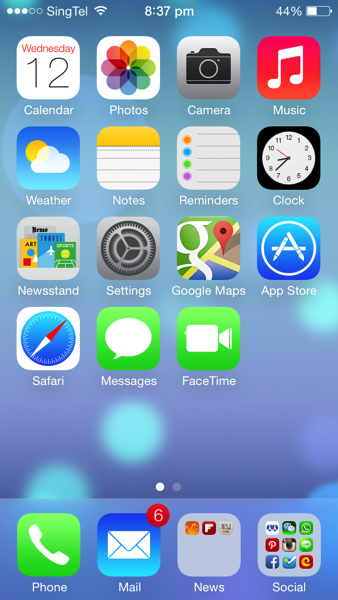
As you can see, except that the layout still remains the same, the rest of the UI looks quite different now. Icons are now flat and more abstract. Colour scheme is lighter. The fonts are thinner. Signal bar is replaced by signal dots. And finally the Clock app is showing the actual time on its icon!

There are also quite a lot of change in animation. When launching an app, instead of pop out from the centre of the screen, now it's from the app icon itself. There are quite a few more transition animation inside apps as well.

2013 06 12 20 41 49

In iOS 7, instead of swiping to the left to access spotlight search, swiping the screen down from any home page will bring down the spotlight search bar. It is obviously more convenient. As you can see, the appearance of the keyboard has changed as well.

2013 06 12 20 37 46

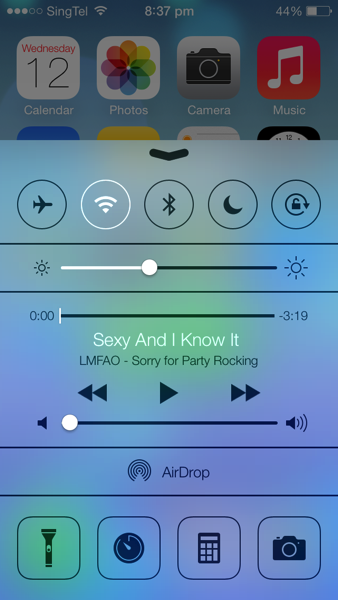
By swiping up from the bottom, it brings up the Control Centre. It is similar to what Android phones have now. Many switches are nicely placed for easy access. Music control is also now integrated in the panel. The flash light can be used as a torch now, although that has already been supported by many 3rd party apps.

2013 06 12 20 42 03

Swiping from the top edge is the notification centre. It has three tabs: today shows weather information, calendar and stock price. All tab has other apps' notifications and missed are those notifications that have not been seen.

2013 06 12 20 37 57

The lock screen is simpler than before. There is no slide bar any more. And instead, it's just a line of words. 

2013 06 12 20 37 59

The passcode pad is also redesigned to circle buttons. 

2013 06 12 20 41 25

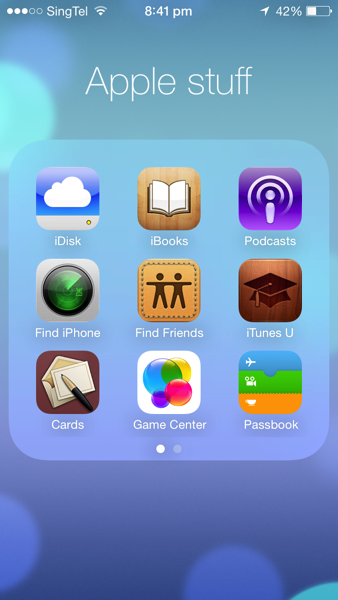
When folder is opened, it now occupies the whole screen and by swiping left and right you can find other apps.

2013 06 12 21 17 16

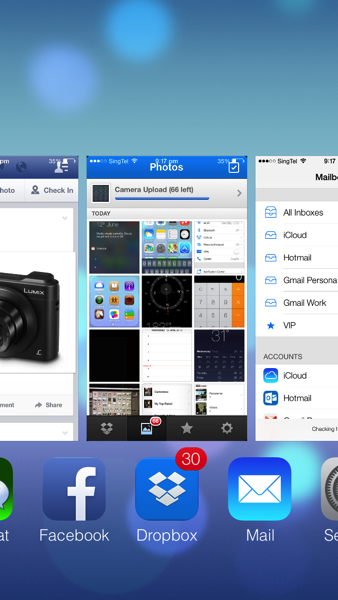
Multitasking UI is changed as well. To close an app in the background, simply drag it upwards. However, it still doesn't have the option to close all at one tap.

2013 06 12 20 40 28

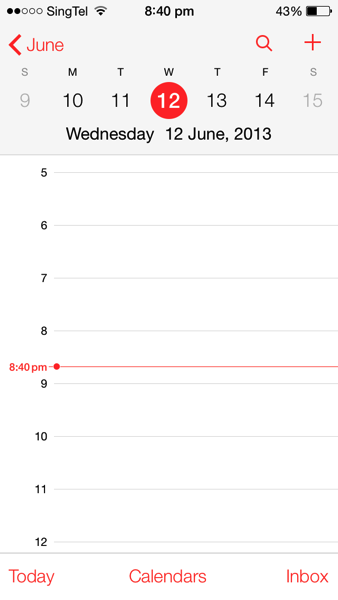
Calendar is redesigned to a flat and simple look as well.

2013 06 12 20 40 22

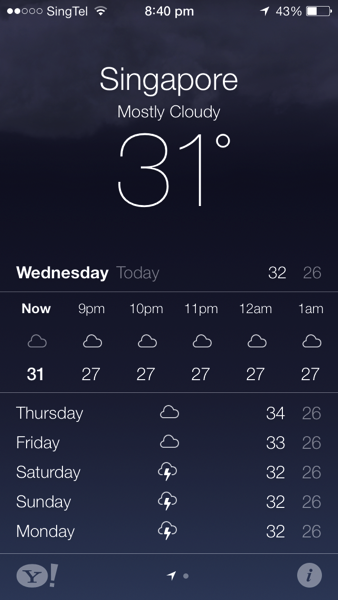
The weather app is more like a Yahoo! weather app now. They are supported by Yahoo! anyway.. But it is quite useless looking at weather forecast in Singapore..

2013 06 12 20 38 212013 06 12 20 38 31

Photo app is now integrated with location and time. If you want to use the old layout, album is the best choice.

2013 06 12 20 40 06

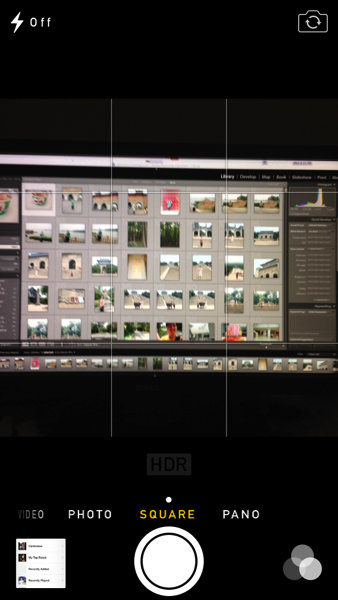
Camera app receives a revamp, too. You can now choose square photo size and also choose one of photo filter provided by Apple. It is more like an Instagram now, though I still love the filters in Instagram more..

2013 06 12 21 37 252013 06 12 21 45 16

Safari now supports more than 8 tabs! The address bar and search bar have finally come to one, which Chrome has done that years ago. The Private Browsing can also be enabled to protect privacy. In the bookmark session, there is one tab called 'Shared Links'. It includes all the shared links through your social network such as Twitter, Sina Weibo etc. Very cool!

2013 06 12 20 41 15

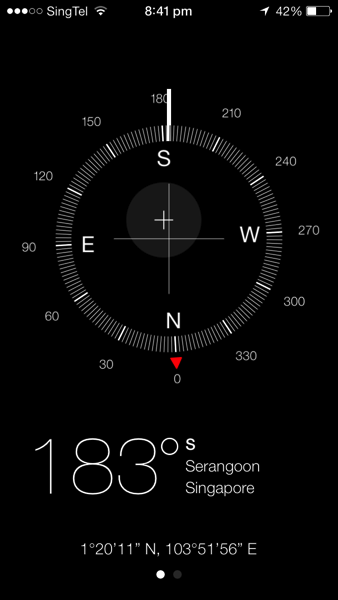
Compass is getting cooler. Now it also shows the location of the current place.

2013 06 12 20 41 39

Settings app is changed to a new look, like on a plain paper.


There are many more small tweaks in the systems and features that I have not covered. In all, I love the new iOS7 a lot. Many people would say that a lot of ideas are copied from Android, like Control Centre. I admit that is the case, but still thinking that if this is something good, why not use it? It shouldn't become that you don't use something good simply because somebody else used it first.

Apple has been criticised that the revamp shows that Apple is lacking in innovation in iOS 7. However, allow me to say, if Apple today has launch some iOS that is only marginally redesigned from previous version, it will only receive more critics on innovation. Complete UI redesign of a mature system isn't a very easy job. Look at Windows 8, you will understand how Microsoft has been struggling with this. It is a bold step for Apple to scrap the old UI and I hope it will get even better in the future.

iOS 7 is not perfectly smooth on iPhone 5. Some apps are crashing more frequently on iPhone 4S. I suppose that the next generation of iPhone has even more computing power. I am also guessing that there is one or two 'killer features' not present on iPhone 5. It may only supported by the new hardware so that the new iPhone differentiate itself from its predecessor. 

Now I am more eager to see the next generation of iPhone equipped with iOS 7! What do you think of the iOS 7? Have you got your hands on it? Let me know your ideas in the comment below! :D 

Technorati Tags: , , , , ,